Mostrando postagens com marcador Guides. Mostrar todas as postagens

quinta-feira, 8 de setembro de 2011

Club Penguin Apps Updates!

Post Header

Because of the launching of the new Club Penguin app, a lot of updates has been made at Club Penguin's website, and now everybody is just waiting to the app to be released!

The updates in the website are:

New Login Screen


Club Penguin has a new login screen of the Puffle Launch application, it has an image of the game, and also info about when it will be released.

Home Page Update


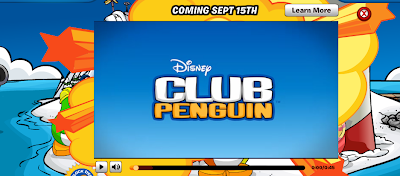
Now when you go to Club Penguin's Home Page, a video of the app pops up showing the trailer of the game.

Mobile Apps Page


Club Penguin has created a new Mobile Apps page. In this page we have some informations, videos and screenshots of the game. For while there's just one app featured there, but we hope it'll have more soon!


So what do you think about all this updates? Such a great advertisement no? Well share your toughts about the app below in the comments!

Oh, and by the way, since I have been out for these days, I will be updating and posting everything this weekend, so all the content and posts will be up to date till there!

~ Crazy Linux

Club Penguin App INFO!

Post Header
Well, since I haven't been able to post due to some situations, and I unfortunately missed a lot of news about the brand new Club Penguin Puffle Launcher App, which will be avaliable at App Store on Semtember 15th! I will place all the info, news and everything else about it right on this post! So let's get started!

Well, everyone remembers Club Penguin was about to release an App for a Club Penguin game! They firstly have made an announcement of it, with a preview of how would it be! Watch the video preview below:


In my opinion it is such a great cool app, and as we can see it allows you to play Puffle Launcher with your Apple Device.

After that, they also have made a trailer of this app! Check it out:


I think it is just awesome! I don't have an iPhone, iPod Touch or iPad, but my dad does so I'm might getting this app, and I am also might do a video review of it!

I just can't wait to it come out! Will it maybe have a Club Penguin connection, where you will be able to transfer coins and items to your online account? What others features do you think should/could be able in this app? Let me know by leaving a comment below!

Thanks for reading!

~ Crazy Linux

quarta-feira, 31 de agosto de 2011

Reviewed by You: Apps!

Post Header

Billybob has written a brand new post in the Club Penguin Community's What's New Blog! It's a "Reviewed by You", about the apps that were announced yesterday by the Club Penguin Team, in the What's New Blog too! Let's read the post and check out what he is talking about!

Hello Penguins!

Last week we asked you to tell us about a secret agent that's gone above and beyond the call of duty for the EPF! Rosie92853 had this to say:

I totally think that Tif000 is the best epf agent because she completed all her missions right away and she is always trying very hard to complete the feild-ops,and when she sees other penguins asking for help with the feild-ops she helps them,she never gives up when doing system defender.Mostly i think she is just very helpfull and good at never giving up! Waddle on cp!

We always love to hear about penguins helping others. Thanks for going above and beyond the call of duty, Tif000!

blog_110831.jpgYesterday we mentioned that we're just about finished our very first mobile app! So for this week's Reviewed by You, we want to know... If you were to make your own mobile app, what would it be?

Write your review as a short comment (50-75 words, please!) We'll pick one comment to feature in next week's Reviewed By You. If your review is featured next week, we'll add 10,000 coins to your account. Don't forget to use your penguin name so we can add the coins!

Until then... Waddle on!

- Club Penguin Team


Billybob asked everybody a really nice review subject! Since they're done with a brand new Club Penguin monile app, that's coming soon, they asked you penguins about how would your mobile app be! I've just left my comment in the post, and in my opinion it was amazing! How about you? Have you left your comment about the apps? If you haven't make sure to do it right now, and also don't forget to drop a comment right here and let me know your toughts!

~ Crazy Linux

terça-feira, 30 de agosto de 2011

Club Penguin App!

Post Header

Hey guys! This is my first post about Club Penguin news since I created this website, and I am really happy! Anyway, let's go to the news! Today the Club Penguin Team has announced in the "What's New Blog" an upcoming Club Penguin App! Let's check out the post:

Hello Penguins!

Over the past few months, we've heard some rumors, and many of you have asked if we're making a mobile app... Guess what?

We're excited to announce that we're just about finished our very FIRST Club Penguin app!

blog_110830.jpgWe can't say too much just yet, but we'll have more info for you in the next few weeks.

So what do you think our first app will be? Let us know your best guess in the comments below!

Until then... Waddle On!

-Club Penguin Team

I can't wait for this app! What could we be able to do with it? What kind of features could be avaliable in it? When I don't know for now, but I'm really excited about it!

~ Crazy Linux

quinta-feira, 25 de agosto de 2011

Free Items


Club Penguin has free items that are avaliable for all the penguins! In this page I will teach you how to get the free items of Club Penguin!

Rockhopper Captain Quarters' Key

You can get this item in the Book Room. Open the book shelf, and click on The Journal of Captain Rockhopper.


Go to the last page of the book, there you'll find a key, click in the key to get it!


CONGRATULATIONS! You have just got the Captain Quarters' Key! What means that now you are allowed to get in the Captain Quarters when Rockhopper visits Club Penguin!

Friendship Bracelet

You can also get this item in the book shelf, located in the Book Room. Click in the Book "Rockhopper and the Stowaway"


Go to the last page of the book, where you will see a colorful bracelet. Click in it to get it! You can wear it in your penguin!


Builder Hat

To get this item go to the Mine Cave, which entrance is at the Mine. Waddle over the marked area showed in the image below, then a window will pop up asking if you want to get this item, so select the option "Yes" and it'll go to your inventory!


Moss Key

The Moss Key is not one of the easiest free items to get, but it's possible to earn it! It's not totally free because you must be a member to get it, since it can just be earned completing a Puffle Rescue level, which is only for members.

When playing Puffle Rescue, rescue the puffle and keep following the way by jumping on the squidward's bubbles. Keep doing it till you arrive to the reef. In the reef you will find stairs, swim over the stairs and this window will pop up:


Click in "Enter", and then you will go to the Underwater Room, where you will see the Moss Key. Walk over it to get it, and then you will be able to get in the Underwater Room whenever you want.


Did this guide help you guys? If so don't forget to drop a comment and tell me what do you think about it!

~ Crazy Linux

quarta-feira, 24 de agosto de 2011

Unlock Items Online


In addition to the items you can get by playing Club Penguin, you can also unlock special items with the Unlock Items Online page! To go to the page, login to Club Penguin, and in the server selection, you will find an "Unlock Items Online" button, click in it to go to the unlocking page!


After you clicked the unlock button, you will be redirected to the unlock page where you will see a screen just like this.

It has 2 options for you to unlock items: "I have a code" and "I have a book"


Here you can unlock the codes that come with the Club Penguin toys you buy. Every single toy comes with a code, that can be unlocked here, but the codes can be used only 1 TIME!

You can win these codes for free right here! We are having giveaways very soon!


In this section you can unlock items by entering a certain word of a certain page of a Club Penguin Book! But you ask yourself: "Do I have to buy every single Club Penguin book to unlock the items avaliable for it?" No! You can find the book codes right here on Crazy Linux's CP Guide! Just choose a book below to see the codes for it!


Thanks for visiting! Hope this will help everybody!

~ Crazy Linux

PSA - Mission 11

Here is the video walkthrough for the Mission 11 of PSA at Club Penguin:


PSA - Mission 10

Here is the video walkthrough for the Mission 10 of PSA at Club Penguin:


PSA - Mission 9

Here is the video walkthrough for the Mission 9 of PSA at Club Penguin:


PSA - Mission 8

Here is the video walkthrough for the Mission 8 of PSA at Club Penguin:


PSA - Mission 7

Here is the video walkthrough for the Mission 7 of PSA at Club Penguin:


PSA - Mission 6

Here is the video walkthrough for the Mission 6 of PSA at Club Penguin:


PSA - Mission 5

Here is the video walkthrough for the Mission 5 of PSA at Club Penguin:


PSA - Mission 4

Here is the video walkthrough for the Mission 4 of PSA at Club Penguin:


PSA - Mission 3

Here is the video walkthrough for the Mission 3 of PSA at Club Penguin:


terça-feira, 23 de agosto de 2011

PSA - Mission 2

Here is the video walkthrough for the Mission 2 of PSA at Club Penguin:


PSA - Mission 1

Here is the video walkthrough for the Mission 1 of PSA at Club Penguin:


segunda-feira, 22 de agosto de 2011

How to become a Water Ninja


Once you became a ninja and now are allowed to go to the Ninja Hideout, if you're a member, you can proceed with your ninja journey and become a Water Ninja!

The Water Ninjas arrived to Club Penguin in November 2010 during a storm that revealed the Water Dojo. If you're a member you can go there by crossing the water gateway at the Ninja Hideout.

Once you're there you can start playing Card Jitsu Water and earn your Water Suit and Water jem on your medal.

But what are the rules of this game? What should you do to become a Water Ninja? These and other questions about this topic will be answered right here, so keep reading!

If you started your Water Ninja journey, you can check your progess in the Card Jitsu window, open it up by clicking the icon in the bottom right of the screen while you're in a ninja room.


Your progess is showed with the items you earn playing the game. Each item is a "level", and as many times you win as many points you get to earn new items and complete the Water Suit.

How to play?

The rules of Card Jitsu Water, reffering to cards, is the same of Card Jitsu and Card Jitsu Fire. Fire beats Snow, Snow beats Water and Water beats Fire, but you have to do something different to win the game.

Card Jitsu Water is played on the water, in the waterfall located between the mountains on Club Penguin.


It's a very easy game, everything you have to do is move from rock to rock, trying to reach the other side of the waterfall, to ring the bell and let the water take your opponents away. Or you simply try to not fall down in the waterfall.

To jump from rock to rock you have just to use your cards, for example:

To jump to a rock with Snow, use a Fire card to melt the snow, and then jump to the rock.


Keep doing this till you reach the other side of the waterfall.

The winner is the first to reach the other side, or the last one to fall down! Easy huh?

During you play and win, you earn points, which increases your progess to earn more items for your Water Suit. Complete your Water Suit and then challenge Sensei for a game!

Play with Sensei for a few times till you win, and then, once you've won you will receive a Water jem on your medal from him, and you'll be a Water Ninja! CONGRATULATIONS!


But keep up to date about ninja classes, because there's a lot of rumors of new ninja classes coming soon! Shadow Ninjas? Snow Ninjas? We will find out very soon!

Thanks for reading and I hope this will help you!

~ Crazy Linux

How to become a Fire Ninja


The Fire Dojo was built on Club Penguin in November 2009, when the whole sky got orange and the volcano at the mountains erupted, and a new Ninja class appeared, the Fire Ninjas!

Guided by Sensei, the members who has already became a Ninja, could proceed with their journey, at the Fire Dojo, which entrance is located at the Ninja Hideout.

But how would the ninjas become a Fire Ninja? How could be the Fire Ninja game? These and others questions will be answered right here in this guide, so keep reading!

Where to play?

You can play Card Jitsu Fire at the Fire Dojo, located on the volcano. You can get there by going through the fire gateway at the Ninja Hideout.


How to become a Fire Ninja?

To become a Fire Ninja you need to play Card Jitsu Fire, it's very similar to the usual Card Jitsu. While you play and envolves in this game, you can check your progess in this game by opening up the Card Jitsu window, clicking in the icon in the bottom right of your screen when you're in a room of the Dojo, or simply clicking on the icon in your inventory.

Also, as much as you progess you get Fire Items according to your "level". The items are:

1) The Flame Sandals
2) Magma Coat
3) Lava Mask
4) Fiery Helmet


How to play?

As I've said before, Card Jitsu Fire is very similar to Card Jitsu, and below we have the instructions of how to play it.

First of all, go to the Fire Dojo and talk with Sensei, then select the option "Earn your Fire Suit"

It's very simple to understand. On the volcano, there's some rocks on the lava. Click in a rock, and numbers will appear in the middle. That numbers are how many rocks you will jump(to the left or to the right).


It is just like Card Jitsu, Fire beats Snow, Snow beats Water and Water beats Fire.

Choose a rock in the middle, and see what number you've gotten. This number means how many rocks you have to jump(left or right). After jumping to a rock, check the symbol it has. If it's Fire it'll be a fire battle(with just fire cards), if it's Water, a water battle, if Snow, a snow battle, if Cards icon, it'll be a Card Jitsu battle, with all the kinds of card and if you choose the icon with all the elements, you can choose one element for the round.

Rules are the same of Card Jitsu, so if your card win, you'll gain engery or your opponent will loose energy.

You win if your opponents loose all their energies or if you reach the max number of energies. In every single winning, you'll get points that will appear in your progess bar. As much times you win as many points you'll earn, and get the Fire Suit items.

Once you have completed the whole Fire Suit, talk with Sensei and challenge him. It'll take a few times to you beat Sensei, but when you do it, you will receive the Fire jem on your medal.


CONGRATULATIONS! You've become a Fire Ninja and now you have the whole Fire Suit and the Fire jem!

Now keep updated with more ninja classes guides right here on CLCPG!

~ Crazy Linux

domingo, 21 de agosto de 2011

Guides

In this page you can find all the Guides of this website! We have guides about everything you need on Club Penguin! So click in the guide you want to read below:


If you think we should add any other guide to this page, leave a comment and we will make the new guide as soon as possible!

Hope this will help everyone!

~ Crazy Linux
 

Home | About | Privacy Policy | Copyright | Parents | Contact

© 2011 - Theme made by Crazy Linux.